Image to CAD
Phone photos of the part, from a few angles if you have them. Give one real measurement and every other dimension scales from it.
How to photograph a part →
AI Reverse Engineering
Phone photos of a physical part — or its STL scan or STEP file — become an editable parametric CAD model with live dimensions, exported as STEP, STL or a Fusion 360 feature tree.
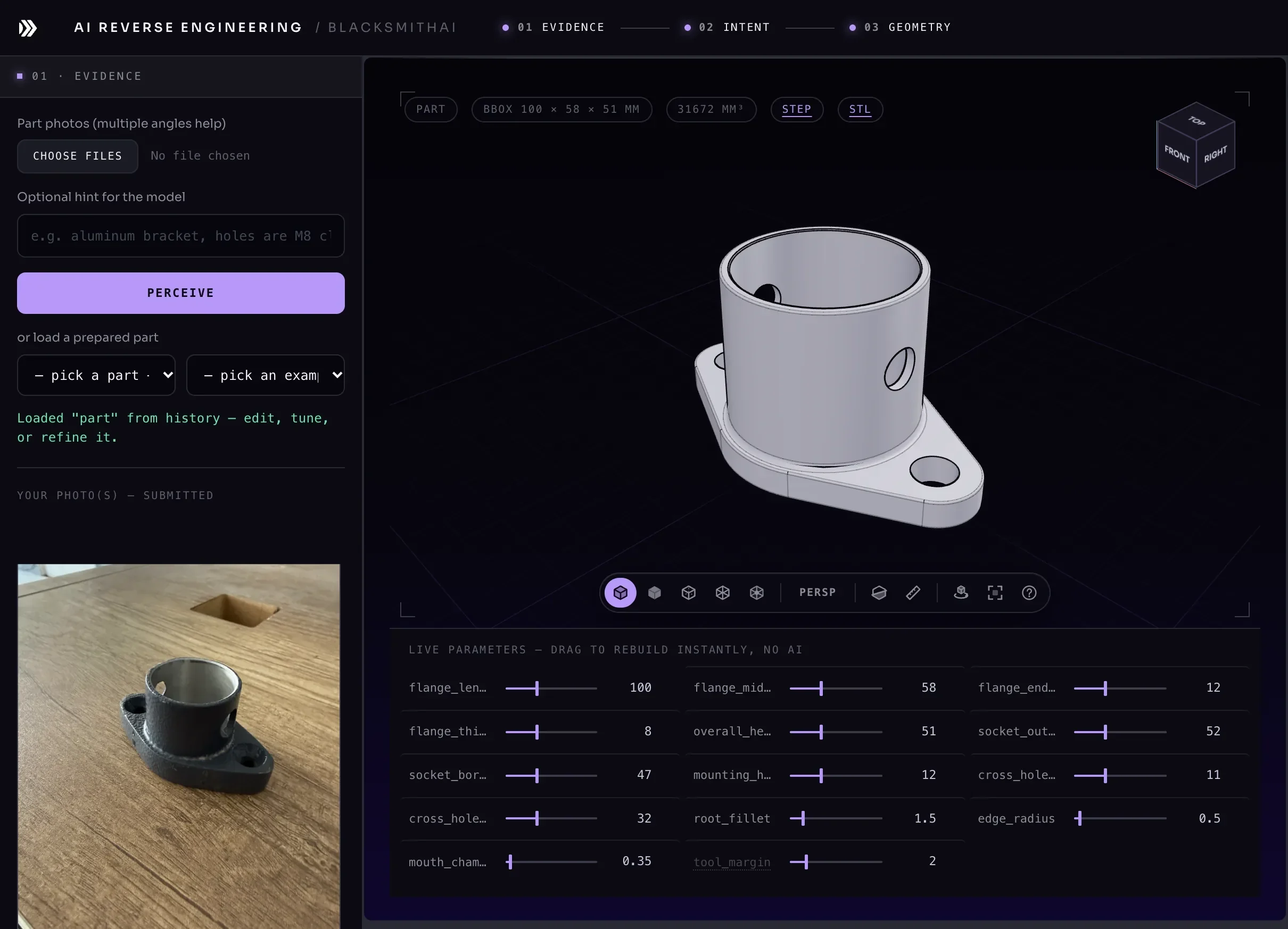
A phone photo of the part on a desk. More angles help; nothing else is required.
One real run
Try it
Drag to orbit. Change any of its parameters and the part is rebuilt — these are genuine builds from the engine behind AI Reverse Engineering, not an animation. Switch to X-ray or cut a section to see inside.
Start from anything
Phone photos of the part, from a few angles if you have them. Give one real measurement and every other dimension scales from it.
How to photograph a part →A scan or mesh rebuilt as real features: planes, cylinders, fillets. The model is checked against the file and the match is stated in millimetres.
How a mesh becomes a model →A supplier STEP file with no feature history, rebuilt so its dimensions are parameters you can change, or opened in Fusion 360 as a feature tree.
What AI reverse engineering is →How it works
Drop in phone photos, or upload an STL scan or a STEP file. We describe the part for you, and you can add details ("aluminium, M8 holes"). From a mesh, an AI agent can rebuild the part feature by feature and report how closely it matches (on selected beta accounts).
Review the feature tree it read, set one real measurement, and fix anything it flagged. You are the engineer of record.
Build a solid, drag any parameter to rebuild it instantly, and export STEP and STL — or open it in Fusion 360 as editable features. Describe what is wrong in plain words to refine it.
Built for
The part broke, the supplier is gone and there was never a drawing. Photograph the old one; machine a new one.
Jigs and fixtures that only exist as physical objects become editable CAD your team can version.
A hand-made or 3D-printed prototype becomes a parametric model you can tune before tooling.
Send a machine shop a STEP file instead of a photo and a description — and get a real quote back.
Questions
Phone photos of the part, an STL mesh (from a 3D scanner or a download), or a STEP or STP file. Photos need no special equipment; more angles help.
A parametric solid with a live slider for every dimension, the feature tree it was built from, and exports as STEP, STL, or a Fusion 360 script that rebuilds the part as editable features.
From photos, dimensions are proportional until you give one real measurement; then everything scales from it, and inferred dimensions are flagged for review. From an STL or STEP file the model is compared with the file, and the result says how closely it matches, for example "matches within 0.2 mm". Check the dimensions that matter before you manufacture.
Yes. STEP opens in every mainstream CAD package. For Fusion 360 there is also a dedicated export that rebuilds the part as editable sketches and features, with the parameters as Fusion user parameters.
No. You review the features it read, set one real measurement and fix anything it flagged. Describe what is wrong in plain words to refine the part.
Plans start at $24.99 a month for about 10 generations, or $49.99 a month for about 25. It is in private beta, so you request access first.
New to it? Read what AI reverse engineering is, or the guide to vibe-CADing.
AI Reverse Engineering plans start at $24.99 a month.