What is AI reverse engineering? From a physical part to editable CAD
AI reverse engineering rebuilds a physical part as editable parametric CAD from photos, an STL scan or a STEP file. How it works, what you get, where it fits.
By BlacksmithAI · · 4 min read
Key takeaways
- AI reverse engineering rebuilds a physical part as an editable, parametric CAD model, with an AI doing the modelling.
- It starts from phone photos, an STL scan or a STEP file, and ends with STEP, STL or a Fusion 360 feature tree.
- The difference from a scan is parametrics: you get features and dimensions you can change, not a frozen surface.
- It suits spares, legacy tooling, prototypes going to production and supplier quotes.
Reverse engineering, before AI
Reverse engineering a part has always meant the same three steps: capture its shape, understand its design, and redraw it in CAD. Traditionally that is calipers and a notebook for simple parts, or a 3D scanner and scan-to-CAD software for complex ones, followed by hours of a CAD engineer sketching, constraining and extruding until the model matches.
The capture step got cheap years ago. The redraw step did not. A scanner hands you millions of triangles; turning them into a model you can edit is still skilled, slow work.
What the AI does
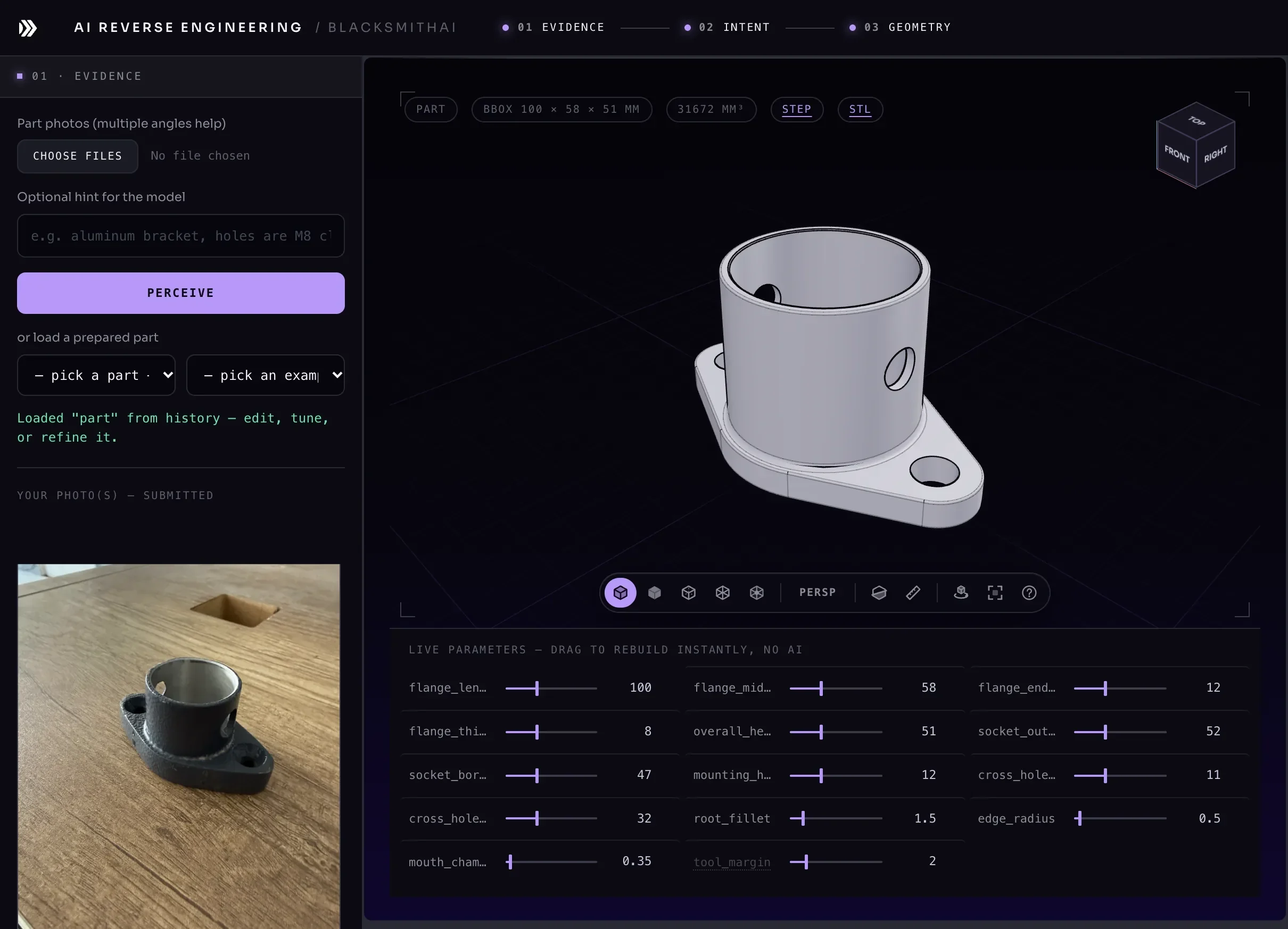
AI reverse engineering automates the redraw. Given evidence of the part, the AI reads it the way an engineer would, as a set of features rather than pixels or triangles: a base plate, a boss, a through hole, a pattern of four bolt holes, a fillet along an edge. Then it writes a parametric model that builds those features in order, the same way you would in SolidWorks or Fusion 360.
In AI Reverse Engineering that model is code (build123d, an open-source CAD library on the OpenCascade kernel) that compiles to a real B-rep solid. Every dimension in it is a named parameter, so you can drag a slider and watch the part rebuild.
A mesh is not a model
The most common misunderstanding is that a 3D scan is already CAD. It is not. An STL file is a surface made of triangles. You cannot change a hole diameter in it, because there is no hole, only triangles arranged like one. Converting it to a "solid" in CAD software gives you the same triangles wrapped as a body: heavier, but no more editable.
| Mesh (STL scan) | Parametric model | |
|---|---|---|
| What it stores | Triangles | Features and dimensions |
| Change a hole diameter | Re-sculpt the surface | Type a new value |
| Opens in CAD as | A dumb body | Editable geometry (STEP) or a feature tree |
| Good for | Printing, inspection | Design changes, drawings, machining, quotes |
AI reverse engineering is the bridge from the left column to the right. See STL to CAD for how it works from a scan.
Three ways in
- Photos. Phone photos, more angles if you have them. Photos carry shape and proportion but not scale, so you give one real measurement and the rest scale from it. See how to photograph a part for image to CAD.
- An STL scan. A mesh from a 3D scanner or a download. It carries real dimensions, so the model can be checked against it and reports how closely it matches.
- A STEP file. A solid with no feature history, the usual state of a file from a supplier. Rebuilding it as features gives you dimensions you can change.
What you get back
- A parametric solid with a live slider for every dimension.
- The feature tree it was built from, in plain names: "base plate", "mounting bosses", "bolt holes".
- STEP for any CAD package, STL for 3D printing, and a Fusion 360 export that rebuilds the part as editable sketches and features.
- A list of what it was unsure about: inferred dimensions from photos, or how closely it matches a scan, so you know what to check.
How accurate is it?
As accurate as its evidence, and it should tell you which parts are which. From photos, proportions are read from the image and absolute size comes from the measurement you give, so measure the dimensions that matter. From a scan, the model is compared with the mesh after it is built, and the result is stated as a number, for example matches within 0.2 mm, with any texture or lettering it left out named.
Either way, you remain the engineer of record. Check the critical dimensions, and print or machine one part before a run.
Where AI reverse engineering pays off
- Obsolete spares. The part broke, the supplier is gone and there was never a drawing. Photograph the old one; machine or print a new one.
- Legacy tooling. Jigs and fixtures that only exist as physical objects become CAD your team can version and change.
- Sample to production. A hand-made or 3D-printed prototype becomes a parametric model you can tune before paying for tooling.
- Quotes. Send a machine shop a STEP file instead of a photo and a description, and get a real quote back.
- Local replacement. Replace an imported plastic part with 20 locally made units in Egypt or the GCC.
Rebuilding parts this way, by showing an AI the part and steering it with real dimensions, is what we call vibe-CADing.
Frequently asked questions
Is AI reverse engineering legal?
Reverse engineering a part you own, for repair, replacement or interoperability, is legal in most countries. Copying a part protected by a patent, a registered design or a contract you signed may not be. Check before you reproduce someone else's design commercially.
Do I need a 3D scanner?
No. Phone photos are enough for many parts, with one real measurement for scale. A scan adds accuracy and lets the model be checked against the part point by point.
Which CAD software can open the result?
Any package that reads STEP: SolidWorks, Fusion 360, Onshape, Inventor, CATIA, Creo, FreeCAD and others. Fusion 360 can also rebuild it as an editable feature tree.
Try it on a real part
AI Reverse Engineering turns photos, an STL scan or a STEP file into editable CAD. It is in private beta, with plans from $24.99 a month.